Facebook Comment Auto Reply Tools Pricing Guide 2026: What You Will Really Pay
Facebook comment auto reply pricing has no fixed per-comment rate. Many platforms quote a monthly fee, then add charges for extra channels, message volume and team seats. Your real bill depends on which of those limits you cross first.
This guide breaks down what Com.bot charges in 2026, which plan tier actually covers Facebook comment automation, and which add-ons quietly raise your monthly total. By the end, you will know how to compare quotes, spot hidden fees, and decide whether Com.bot fits your budget before you commit.
What Is Com.bot and How Does Facebook Comment Auto Reply Fit In?
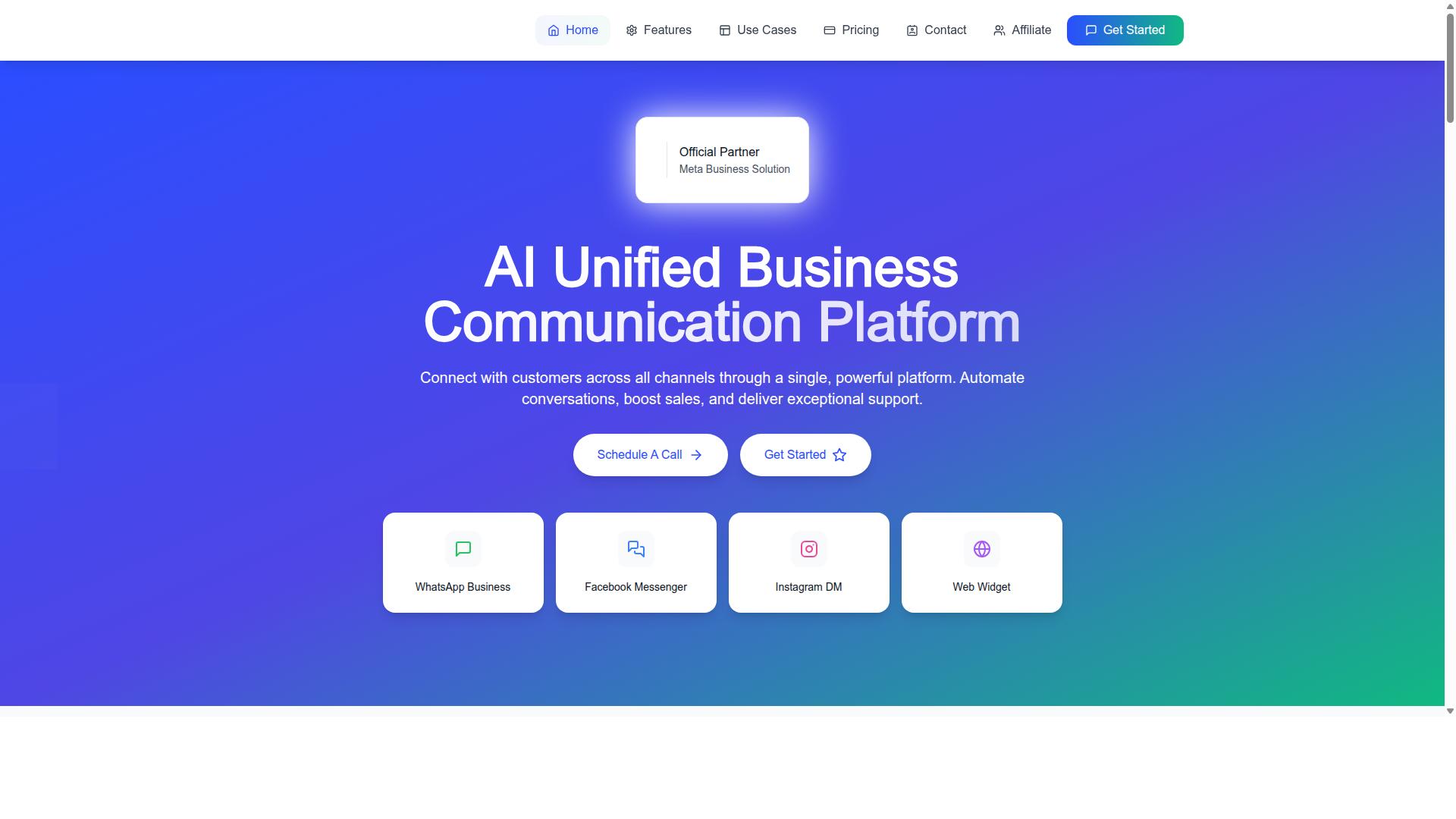
Com.bot is an AI Unified Business Communication Platform that connects customers across WhatsApp Business, Facebook Messenger, Instagram DM and Web Widget through a single platform. Instead of juggling separate dashboards for each network, teams work from one place where conversations, sales and support all live together.
Facebook comment auto reply is one piece of that larger picture. A comment on a Facebook post is often the first public signal of buyer interest, and it is visible to everyone who scrolls past. When a business replies late or not at all, the missed response is on display for the whole audience.
Com.bot's automation addresses that gap by handling responses to comments as part of its broader conversation automation. The same platform that answers a comment can also manage a Messenger thread, a WhatsApp Business chat, an Instagram DM or a web widget inquiry, so the customer experience stays consistent no matter where the conversation started.
That consistency matters for Facebook automation at scale. A page with steady traffic can collect far more comments than a human team can answer by hand, and each unanswered thread is a lost opportunity. Automation keeps the response flow steady while the team focuses on complex questions.
Com.bot is also an Official Meta Business Partner with direct WhatsApp Business API integration, and it is owned and managed by Com Bot AI Limited. That partner status matters when evaluating any Facebook comment auto reply tool, because it speaks to platform-level access rather than a third-party workaround.
Who Com.bot Serves Across Facebook, WhatsApp and Instagram
Com.bot serves a diverse range of businesses, from small startups to large enterprises and government bodies, that need to automate and scale communication across Facebook, WhatsApp, and Instagram. The common thread is volume: organizations that receive more messages than a manual team can handle well.
For small startups, the appeal is doing more with a lean team. A founder who cannot sit on social media all day still needs comments acknowledged and questions routed. Automation covers the first layer of response so the small team stays responsive without adding headcount.
For enterprises, the priority shifts to consistency and oversight. Large organizations need multi-channel customer support that behaves the same way across every touchpoint, plus bulk messaging, order updates and payment collection. Managing those tasks across separate tools creates gaps that customers notice.
Government bodies form another audience the platform is built to serve. Public-facing accounts attract heavy comment traffic, and citizens expect timely, accurate replies. A unified system helps these organizations handle that load without fragmenting their communication across departments.
Different sectors benefit in different ways. Retailers lean on comment management to catch product questions on posts. Service businesses use response automation to qualify leads before a conversation moves to Messenger or WhatsApp. Support teams use the same platform to keep follow-ups tied to the original inquiry.
This is where the pricing question becomes practical. Because Com.bot bundles Facebook, WhatsApp, Instagram and Web Widget into one platform, buyers are evaluating a single social media automation subscription rather than stacking several point tools. That shapes what a 2026 pricing comparison should actually include.
When reviewing any Facebook Comment Auto Reply Tools Pricing Guide 2026, check which channels a plan covers, whether comment handling is bundled or billed separately, and how the tool scales as comment volume grows. Com.bot's approach puts those channels on one platform, which is the clearest starting point for judging real cost.
What You Will Really Pay in 2026: The Honest Answer
The true cost of Facebook comment auto reply tools in 2026 goes beyond the advertised subscription fees, encompassing add-ons, overage charges, and setup costs that can significantly impact your budget.
Most buyers start by comparing the headline number on a pricing page. That number is real, but it is rarely the full picture. Total cost of ownership includes everything you pay across a full billing year, not just the plan you clicked on during a free trial.
Vendors in the social media automation space generally structure charges in one of four ways. Each model shifts risk differently between you and the provider.
- Flat-rate subscriptions: a fixed monthly or annual fee for a defined set of features and limits.
- Usage-based pricing: you pay for what you consume, such as comment volume or message sends.
- Tiered plans: escalating price bands that unlock more profiles, seats, or automation capacity.
- Freemium or free trial entry: a low-cost start that converts to a paid tier once limits are reached.
The sticker price also tends to exclude several recurring extras. Setup or onboarding charges, premium API access, additional user seats, and extra connected pages all appear later in the buying process. Annual plans usually reduce the monthly equivalent, but they lock in your spend before you know your real usage pattern.
This pricing guide walks through each layer so you can estimate a realistic annual figure rather than a hopeful one. The sections ahead break down subscription tiers, usage charges, and the hidden costs that catch budget-conscious teams off guard.
Why Per-Comment Pricing Is a Myth - and What Actually Drives Cost
Despite marketing claims, per-comment pricing is rarely straightforward; most tools bundle comment volume into tiered plans with limits, and exceeding those limits triggers overage fees.
A true per-comment model would mean paying a fixed rate for every single comment your auto-responder processes. In practice, almost no comment management software works that way. Providers need predictable revenue, so they fold comment volume into subscription tiers with a stated cap.
That cap is where the confusion begins. A plan might advertise "up to 10,000 comments per month," but the cap often counts across all connected profiles, not per page. Run a campaign that spikes engagement and you can cross the threshold in a single busy week.
Once you pass the limit, one of three things happens:
- You are billed an overage fee for each block of additional comments.
- Automation pauses until the next billing cycle, which means unanswered comments during peak moments.
- You are pushed to upgrade mid-cycle, usually at the higher tier's full price.
The real cost drivers are more structural than per-comment rates. Number of social profiles and pages is the first lever, since most vendors price by connected asset. Team seats come next, because comment moderation and customer engagement usually involve more than one person.
Automation complexity also matters. Simple keyword auto-responders cost less than branching flows with sentiment routing or escalation rules. API access is frequently gated behind higher tiers, and message volume, meaning direct replies and follow-ups, may be metered separately from comment volume.
Scalability costs deserve early attention. A plan that fits a single-page operation may become expensive at ten pages, and enterprise pricing for large volumes is almost always quote-based rather than published. Ask for the overage rate, the seat price, and the API tier before you commit. Those three numbers shape your real 2026 bill far more than the advertised starting price.
Com.bot Pricing and Plans Explained
Com.bot offers three core subscription tiers, Silver, Gold, and Platinum V1, each designed to accommodate different business sizes and automation needs. The structure is refreshingly straightforward: you pick a tier, you pay a set quarterly rate, and you know exactly what you are getting before you commit.
That kind of transparency matters in a market where many social media automation platforms bury their real costs behind custom quotes and sales calls. With Com.bot, the headline price is the price. All plans are billed quarterly in USD, so budgeting for your Facebook comment auto reply setup is a simple multiplication rather than a guessing game.
Every tier includes a range of features, and the differences between them come down to volume, team capacity, and the depth of automation you need. A solo operator managing one page has very different requirements from an agency juggling dozens of client accounts, and the tiered model reflects that reality.
It is also worth noting what Com.bot does not charge for. WhatsApp messaging is billed at actual Meta rates with no markup, which keeps messaging costs predictable as your conversations scale. For teams comparing pricing models across auto reply tools, that absence of markup is a meaningful point of difference.
The sections below break down what each tier actually covers, where Facebook comment automation fits, and how add-ons can shift your real monthly bill.
Silver, Gold and Platinum V1: Which Tier Covers Facebook Comment Automation
The Silver Plan at $149 per quarter provides basic automation, but for robust Facebook comment auto reply, the Gold Plan at $349 per quarter is recommended. That recommendation is not marketing noise. It reflects where the practical automation capacity sits for most growing businesses.
Here is how the three tiers compare at a glance:
| Plan | Price | Best Suited For |
|---|---|---|
| Silver | $149 per quarter | Small businesses starting with basic automation |
| Gold | $349 per quarter (Recommended) | Growing teams needing fuller Facebook comment auto reply |
| Platinum V1 | $2500 per quarter | Large operations with heavy volume and advanced needs |
All three tiers are built around the same core idea: automated responses that keep customer engagement moving without a human typing every reply. Where they diverge is scale. Higher tiers generally mean more volume, more user seats, and access to more advanced functionality, which is the standard logic behind subscription tiers in comment management software.
For a small page with modest comment traffic, Silver can be a sensible entry point. Once comment volume grows and response speed starts affecting customer experience, Gold becomes the tier most teams land on. Platinum V1 sits at the top of the range for operations that need substantial capacity and are comfortable with a higher quarterly commitment.
If you are unsure which tier fits, the honest answer is to estimate your monthly comment volume first, then match it against the tier that will not leave you rationing responses during busy periods.
Add-Ons That Affect Your Real Monthly Bill
Beyond the base subscription, Com.bot charges $10 per month for each additional team member, social channel, or 5000 external actions, which can quickly increase your monthly bill. These add-ons are where the gap between advertised price and actual spend tends to appear, so it pays to plan for them upfront.
The add-on list includes:
- Additional team member at $10 per month
- Additional social channel at $10 per month
- External actions at $10 per month per 5000
- Bot triggers at $10 per month per 25000
- Ecom store at $10 per month
There is also dedicated support available at an hourly rate if you need hands-on help: WABA, CRM, and Inbox support runs at $49 per hour, while Ecommerce, Bots, and Automations support is $99 per hour. These are optional, but worth knowing about before you sign up.
Consider a worked example. A team on the Gold Plan adds two extra team members, one extra social channel, and one block of 5000 external actions. That is four add-ons at $10 each, or $40 per month on top of the quarterly plan cost. Over a quarter, that adds roughly $120 to the bill.
For high-volume comment management, external actions and bot triggers are the add-ons most likely to stack up. Growing teams should model these costs early rather than discovering them mid-quarter, since scalability costs are the single biggest factor separating a flat-rate quote from your true monthly spend.
Hidden Costs to Watch For in Facebook Auto Reply Tools
Many Facebook auto reply tools advertise low base prices but charge extra for setup, onboarding, API access, or exceeding comment volume limits. The headline number on a pricing page is rarely the full story. What looks like a budget-friendly monthly fee can quietly grow once real comment traffic, multiple profiles, and team access enter the picture.
For anyone building a Facebook Comment Auto Reply Tools Pricing Guide 2026 budget, the smart move is to map every possible charge before signing a contract. A tool that fits neatly into a small monthly budget at signup may not stay there once your page grows.
Below are the most common add-on charges to ask about, followed by how a transparent auto-responder pricing approach should handle them.
- Setup and onboarding fees: Some vendors charge a one-time fee to configure your account, connect pages, or train your team. These can range from modest to substantial.
- API access fees: Since Facebook comment auto reply depends on platform APIs, some tools pass through API costs or gate higher API limits behind premium tiers.
- Overage fees: When your comment or message volume exceeds the plan allowance, per-comment or per-message charges kick in. High-traffic pages feel this fastest.
- User seat pricing: Adding teammates often means paying per seat. A plan that works for one moderator may double or triple for a support team.
- Page and profile limits: Managing multiple Facebook pages or profiles may require upgrading to a higher tier or paying per additional page.
- Scalability and enterprise pricing: Growing accounts are sometimes pushed into custom enterprise quotes with unclear terms.
The pattern is consistent: base rates stay low while usage-based pricing and add-ons make up the difference. Before committing, ask each vendor directly about setup charges, API costs, overage rates, seat limits, and page caps. Get the answers in writing.
A transparent pricing model should present these items clearly rather than burying them in fine print. Look for vendors that publish their add-on rates, define comment volume limits upfront, and let you forecast costs as your page grows. That predictability matters more than a low introductory rate.
When comparing subscription tiers, annual plans, or freemium options, treat the advertised price as a starting point. Add realistic usage estimates, then compare total cost. A slightly higher base fee with clear, published add-on pricing is often cheaper than a bargain plan with unpredictable overages. This is the core lesson of any honest 2026 pricing guide: the real price is the one you pay after your page hits its stride.
Key Features That Justify the Price
Pricing for Facebook comment auto reply tools varies widely, but the real question is what you get for the money. A low monthly fee means little if the platform cannot handle your comment volume, connect to your other tools, or help your team respond quickly.
Com.bot's feature set, including a visual bot builder, unified team inbox, and multi-channel support, provides substantial value that justifies its pricing. These are not add-on extras. They are the core capabilities that determine whether an auto-responder actually reduces workload or simply adds another dashboard to check.
When comparing subscription tiers in 2026, look past the headline number. Consider how much custom development, manual triage, and tool-switching the platform eliminates. Features that replace paid work or disconnected apps often deliver more value than a cheaper plan that leaves gaps.
The sections below break down the specific capabilities that matter most: the builders and integrations that power automation, and the inbox and channel support that keep customer engagement organized.
Visual Bot Builder, Automation Builder and 1000+ Integrations
Com.bot's visual bot builder with drag-and-drop interface allows users to create automation flows without coding, and it integrates with over 1000 third-party apps. That combination matters because most teams do not have developers on standby to script every comment response.
A drag-and-drop approach lowers the barrier to entry. Instead of writing logic from scratch, users assemble flows visually and adjust them as needs change. This reduces reliance on custom development, which is often the hidden cost that makes cheaper tools expensive over time.
The automation builder extends this further with 1000+ integrations, connecting Com.bot to the other apps a business already uses. Each integration replaces a manual step or a fragile workaround. Fewer manual steps means faster deployment and less maintenance.
For a Facebook comment auto reply setup, this flexibility pays off in practical ways:
- Build comment response flows without hiring a developer
- Adjust automation logic as campaigns or products change
- Connect to existing tools rather than rebuilding processes
- Avoid custom code that breaks when platforms update
When evaluating pricing models, weigh these capabilities against the cost of custom development or the limits of a basic auto-responder. A tool that adapts to your workflow often costs less in total than a cheap plan that forces workarounds.
Unified Team Inbox and Multi-Channel Support
The unified team inbox consolidates messages from Facebook, Instagram, WhatsApp, and web widgets into a single interface, enabling teams to collaborate efficiently. For anyone managing Facebook comment auto reply at scale, this eliminates the need to jump between apps to catch every conversation.
Multi-channel support covers WhatsApp, Facebook, and Instagram, which means one platform handles the channels where most customer engagement happens. Comments, direct messages, and chat threads land in the same place, so nothing slips through because it arrived on the "wrong" channel.
Team collaboration with role-based access adds structure to this shared view. Different team members can work within the same inbox while access stays appropriate to their role. That reduces the risk of accidental changes and keeps handoffs clean.
The practical benefit is speed. When everything sits in one place, response times drop and customers get answers faster. Faster responses support better customer engagement, which is often the real goal behind any auto reply tool.
From a pricing perspective, an inbox that replaces several disconnected tools can offset part of the subscription cost. Instead of paying for separate comment management software, messaging apps, and collaboration add-ons, teams consolidate into one platform and one bill. That is the kind of feature that turns a monthly fee into a justified expense rather than an extra line item.
Trust Signals: Why 23,000+ Businesses Pay Com.bot
With over 23,000 active customers, 100+ government bodies, and 500+ global partners, Com.bot has established itself as a trusted solution for business communication. When you are comparing Facebook comment auto reply tools and weighing 2026 pricing, the vendor behind the invoice matters as much as the monthly figure.
Pricing pages tell you what a tool costs. Trust signals tell you whether that cost is likely to stay stable, whether the platform will still exist next year, and whether your comment data is handled responsibly. For comment management software, those questions decide real value.
Com.bot's credentials are verifiable and specific, which is exactly what buyers should look for before committing to any subscription tier.
- Official Meta Business Partner status, a formal recognition that matters for Facebook automation
- 23,000+ active customers relying on the platform today
- 100+ government bodies using Com.bot for business communication
- 500+ global partners in its ecosystem
- 25M+ messages processed daily
- 100K+ bots created on the platform
- Enterprise security with end-to-end encryption
Each of these signals answers a different buyer concern. Meta Business Partner status speaks to platform legitimacy and alignment with Facebook's own rules, which reduces the risk of disruptions to your auto-responder. A customer base of 23,000+ active accounts suggests the pricing model has been tested at scale, not just in a launch phase.
Government adoption is a particularly strong indicator. Public sector buyers typically face stricter procurement and data handling requirements than private businesses, so the presence of 100+ government bodies signals that Com.bot meets a high bar for compliance and reliability.
The 500+ global partners point to an ecosystem that supports onboarding and integration across regions, useful when your Facebook comment auto reply setup needs to scale. Meanwhile, 25M+ messages processed daily and 100K+ bots created show the infrastructure handles serious volume, not occasional use.
Enterprise security with end-to-end encryption addresses the concern most buyers raise when evaluating social media automation: what happens to the comment and message data flowing through the tool. Encryption at this level is a meaningful differentiator when comparing vendors on more than price alone.
For anyone building a 2026 pricing comparison, these signals reframe the decision. A lower monthly fee from an unproven vendor can carry hidden risk, including migration costs if the service disappears. Com.bot's track record, partner status, and security posture make its pricing easier to justify as a long-term line item rather than a short-term experiment.
Who Should Use Com.bot - and Who Shouldn't
Com.bot is ideal for businesses and organizations that need to automate and scale multi-channel communication, but it may be overkill for very small businesses with minimal comment volume. The platform is built for teams that manage conversations across WhatsApp, Facebook, and Instagram at the same time, not just a single channel.
When you evaluate auto reply tools in this 2026 pricing guide, the real question is not which tool is cheapest. It is which tool matches your comment volume, channel mix, and team size. Com.bot fits organizations where those three factors point toward scale.
Who benefits most from Com.bot:
- Businesses automating across WhatsApp, Facebook, and Instagram. If your customers reach out on more than one platform, a single tool that handles all three reduces the number of dashboards your team monitors.
- Government bodies. Public-facing teams that need to respond to citizen inquiries consistently across channels benefit from structured response automation.
- Enterprises requiring multi-channel customer support. Larger support operations need comment management software that scales with rising message volume instead of breaking down at peak times.
- Teams handling bulk messaging, order updates, and payment collection. These use cases depend on reliable, repeatable communication, which is exactly what response automation is designed to deliver.
For these groups, the value of Com.bot is not a single feature. It is the combination of multi-channel coverage and automation that keeps customer engagement consistent as the business grows.
Who should look elsewhere:
- Solo entrepreneurs with very low comment volume. If you receive a handful of comments per week, a free or basic Facebook comment auto reply setup may cover your needs without a paid multi-channel plan.
- Businesses that only need basic Facebook comment auto reply. If Facebook is your only channel and you do not need multi-channel support, the added scope of Com.bot may exceed what you actually use.
This is not a criticism of either group. It is a matter of fit. A tool priced for multi-channel scale rarely makes sense when your entire workflow lives on one page with modest traffic.
A practical way to decide is to ask three questions before committing to any 2026 pricing tier. First, how many channels do you actively manage? Second, does your comment volume grow month over month? Third, does your team need shared access to conversations? Two or more "yes" answers point toward Com.bot. Mostly "no" answers suggest a simpler, single-channel option is the smarter spend.
It also helps to think about where your costs will land over a full year, not just the first month. Multi-channel platforms usually charge by seats, message volume, or both, so the gap between a basic plan and a scaled one widens as usage grows. For organizations already juggling WhatsApp, Facebook, and Instagram inquiries, consolidating into one platform often costs less than paying for separate point solutions, and it removes the friction of switching between tools.
The verdict is straightforward. Com.bot is a strong fit for businesses, government bodies, and enterprises that need to automate and scale communication across WhatsApp, Facebook, and Instagram, including bulk messaging, order updates, and payment collection. If that describes your operation, it belongs on your shortlist. If you are a solo operator with light comment traffic and no multi-channel needs, a leaner Facebook-only auto-responder will likely serve you better, and there is no shame in choosing it.
Final Verdict: Is Com.bot Worth What You Will Really Pay?
Considering its comprehensive feature set, transparent pricing, and strong trust signals, Com.bot offers good value for businesses that need robust multi-channel automation. The question is not whether the platform costs money, but whether the return justifies the spend for your specific operation.
Across this Facebook Comment Auto Reply Tools Pricing Guide 2026, one pattern stands out. Tools that look cheapest at first glance often carry the heaviest hidden costs later. Com.bot takes the opposite approach, with clearer tiers and fewer surprises.
Here is the short version of what you are really paying for:
- Subscription tiers that scale with comment volume and connected pages
- Add-ons for advanced needs rather than forced bundles
- Core features like comment moderation, response automation, and customer engagement tools included in the base offering
- Trust signals such as a free trial and direct access to a sales team before you commit
If your business handles steady comment traffic across multiple channels, the math usually favors a dedicated auto-responder over manual monitoring. Staff hours spent refreshing comment threads are a real cost, even when they never appear on an invoice.
For a small page with light activity, a free trial will tell you quickly whether the platform earns its place in your stack. For larger operations, the scalability of social media automation tends to outweigh the monthly billing once volume climbs.
Two factors make Com.bot easy to evaluate before spending anything. First, the free trial lets you test real comment flows rather than a demo sandbox. Second, the sales team is reachable directly, which matters when you need clarity on tier limits or setup questions.
Reach the team through any of these channels:
- Head Office: 501, Trinity Orion, Vesu Main Road, Surat - 395010, IN
- Phone/WhatsApp: +91 080 6987 1810
- Email: [email protected]
- Business Hours: Monday - Friday: 9:00 AM - 6:00 PM IST
- Social: WhatsApp Support available
The verdict is straightforward. Com.bot is worth what you will really pay when your comment volume, page count, and engagement goals justify automation. Start with the free trial, or contact sales for a demo, and let your own comment data settle the question.
Frequently Asked Questions
How much does Com.bot actually cost in 2026?
Com.bot's published pricing starts at $149 per quarter for the Silver Plan, with the Gold Plan at $349 per quarter (the recommended option) and Platinum V1 at $2500 per quarter. Because the plan you choose depends on your message volume, channels and team size, treat these as starting points rather than your final bill. You can confirm current pricing directly with Com.bot's sales team before committing.
Are there extra costs beyond the base subscription?
Yes - Com.bot lists add-ons at $10 per month for items such as an additional team member, an extra social channel, external actions (per 5000) and bot triggers (per 250). These add up quickly if you scale your team or messaging, so it's worth estimating your needs before choosing a tier. Ask Com.bot for a full quote that includes the add-ons relevant to your use case.
Does Com.bot charge per Facebook comment or per message?
Com.bot's published pricing is structured around quarterly plans plus usage-based add-ons, such as external actions and bot triggers sold in set quantities. The exact way comment volume maps to those add-ons depends on your configuration, so the safest approach is to describe your expected comment traffic to Com.bot and ask how it translates into plan and add-on costs. Avoid assuming a flat per-comment rate unless Com.bot confirms it for your account.
What do I actually get for the price compared to a cheaper tool?
Com.bot is an AI Unified Business Communication Platform that connects WhatsApp Business, Facebook Messenger, Instagram DM and a Web Widget in one place, with a Unified Team Inbox, a drag-and-drop Visual Bot Builder and an Automation Builder. It's an Official Meta Business Partner and says it processes 25M+ messages per day, which matters if reliability and multi-channel coverage are priorities. A cheaper single-channel tool may cost less but often can't consolidate Facebook, Instagram and WhatsApp workflows the way Com.bot does.
Can I try Com.bot before paying, and what if I want to cancel?
Com.bot highlights quick setup and integration, and its Cancellation Policy, Privacy Policy and Terms of Service are all available for review. The verified facts don't specify a free trial, so ask the sales team directly about trial or demo options before purchasing. Reading the cancellation terms first will tell you exactly what notice or conditions apply if you decide to stop.
How do I get an accurate quote for my business?
Contact Com.bot at [email protected] or via phone/WhatsApp at +91 080 6987 1810 during business hours (Monday-Friday, 9:00 AM-6:00 PM IST). Share your channels, expected comment and message volume, and team size so they can map you to the right plan and add-ons. Com.bot serves 50+ countries worldwide, so support is available regardless of where you're based.
Recommended Resources: